
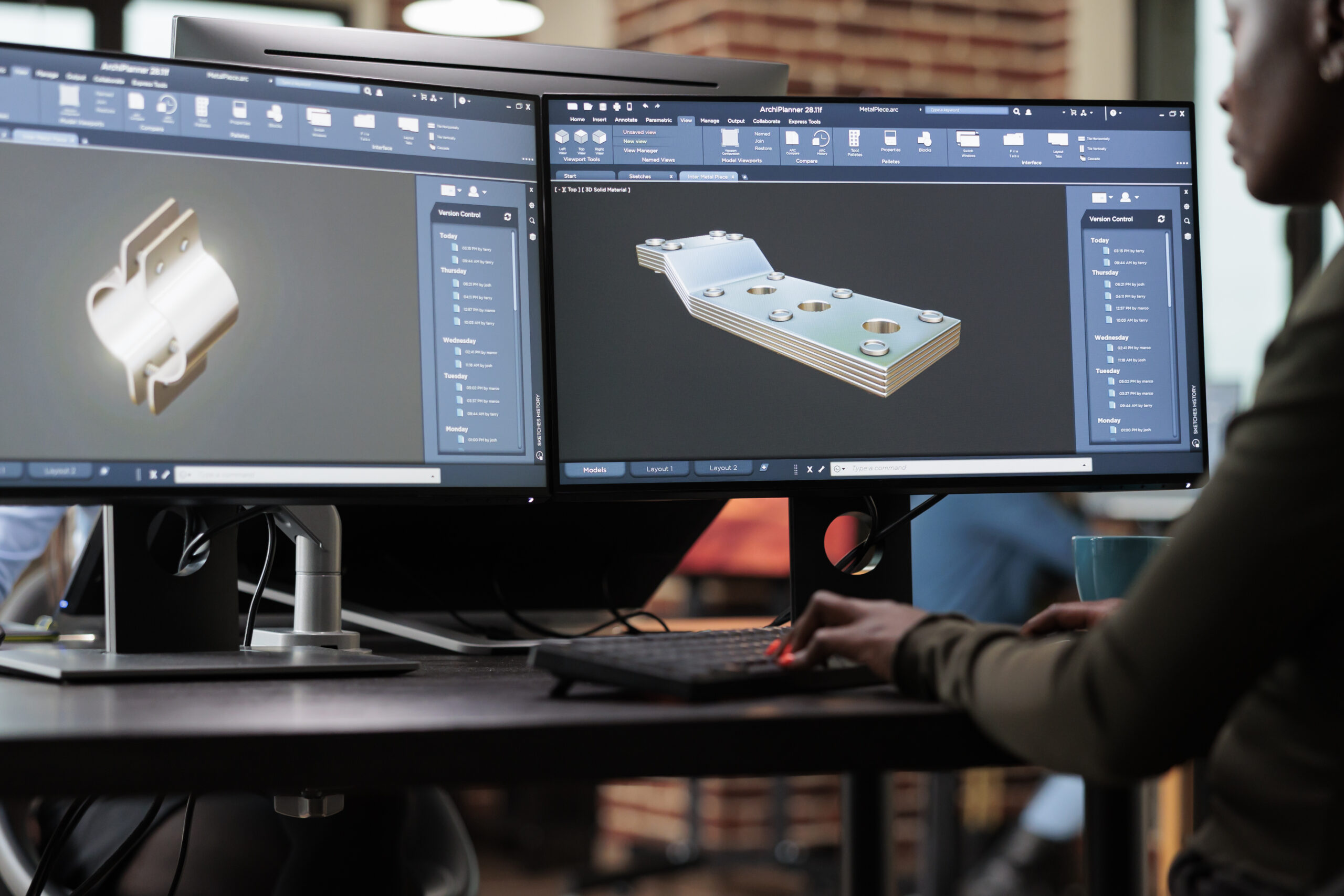
Have you ever seen an advertisement or a kids movie featuring a realistic object that is, in reality, just an image or a picture, but appears to move like it’s real? That’s 3D modelling. Now you might be wondering what is 3D modelling. It’s a skill that allows designers to create digital objects with height, width, and depth, thus making an image look realistic.
From designing products and animated characters to mascots and illustrations, 3D modelling helps turn creative ideas into digital models. These models can then be used in animations, presentations, branding materials, and other visual projects. For businesses, it offers a creative and innovative idea before creating a physical product or producing a final video.
Let’s understand the process and the technique for your next project.
Table of Contents:
What is 3D Modelling?
3D Modeling is the process of creating a digital 3D representation of any object, product, or surface through professional skills and specialised software. Unlike flat 2D drawings, 3D models possess height, width, and depth, which allows them to rotate and to be viewed from multiple angles.
For instance, a company planning a promotional video can use 3D models to display its products from different angles or create visuals that would be difficult to capture with a regular camera.
Creators generally follow a structured process to take an idea from a blank screen to a finished object. Here are the 4 steps professionals generally follow:
1. Gather photos, concept art, or blueprints and build a rough primary shape to lock in proportion.
2. Add secondary and tertiary forms by extruding, cutting, or sculpting the mesh to carve out finer details.
3. Wrap 2D images or textures around the 3D surface to define materials like wood, metal, or skin.
4. Place virtual lights and cameras around the model to simulate how light hits the surface, producing a final image or animation.
What Are The Different 3D Modelling Techniques?
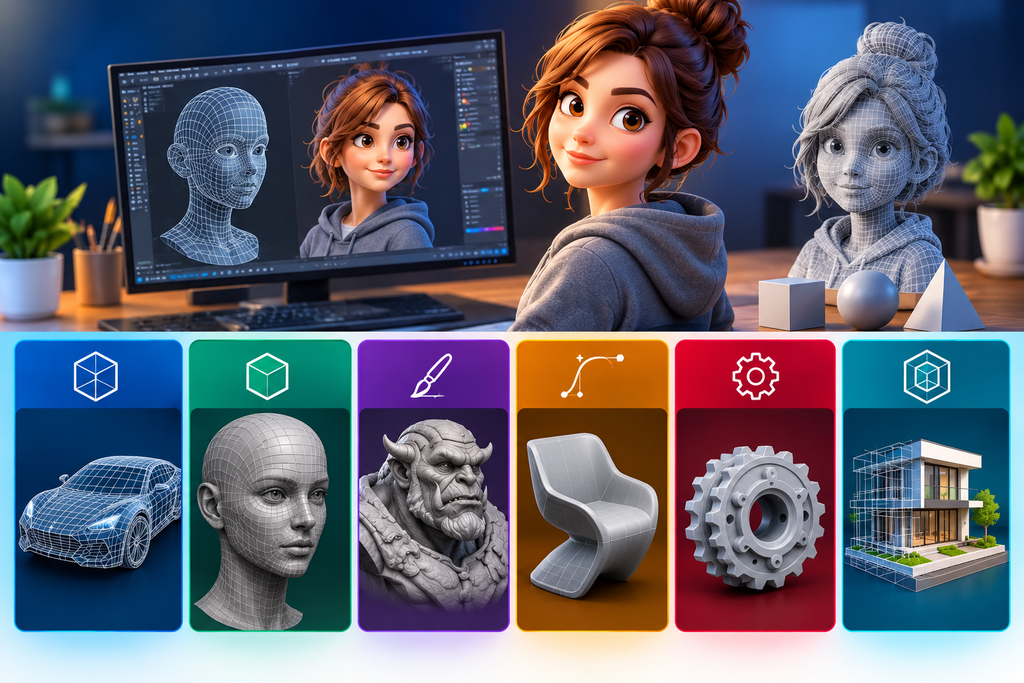
If you think all 3D models look the same and are created using the same technique, then you are wrong. There are multiple ways a 3D model can be created, and each technique varies as per the object used, requirements, and how the model will be used.
Here are some of the most common 3D Modelling Techniques:
1. Polygon Modelling
Polygon modelling involves creating an object by working with vertices, edges, and faces. Designers adjust these elements to build the required shape. This technique works well for objects with defined edges and structured surfaces.
Example: A designer creating a 3D model of a product container can use polygon modelling to shape its body, lid, corners, and other features. It can also be used to create vehicles, furniture, product prototypes, and other objects that need a controlled shape.
2. Digital Sculpting
Digital sculpting works much like shaping clay, but the process takes place inside 3D software. Designers use digital brushes to add, remove, or reshape parts of a model. This technique is particularly useful for organic shapes and detailed characters.
Example: If a business needs a friendly animal mascot for its brand, digital sculpting can help create facial features, expressions, and other details that give the character a distinctive appearance.
It is also useful for creating creatures, stylised characters, and models with natural-looking forms.
3. Procedural Modelling
Procedural modelling uses rules, parameters, or algorithms to generate shapes and structures. Instead of creating every detail manually, designers define instructions that help produce the model.
This technique can be useful when a project requires repeated patterns or many similar elements.
Example: A designer creating a digital environment with repeated building elements or structured patterns may use procedural methods to generate these elements more efficiently.
The best technique depends on the project. A product model may need precise shapes, while a character may require more detailed sculpting.
How 3D Modeling Workflow Comes Together?
Creating a 3D model involves several stages. Although the exact process varies from project to project, a typical workflow includes the following steps.
Step 1: Understand the Project Requirements
Before modelling begins, the designer needs to understand what the client wants to create and how the model will be used.
This includes discussing the object’s appearance, dimensions, style, level of detail, and intended purpose.
For example, a model designed for a product presentation may need a clean and realistic appearance, while a mascot for an animated video may require features that allow it to move and show expressions.
Step 2: Start with Creating Basic Shapes
The next step is to build the main structure of the object. Designers often begin with simple shapes and gradually combine or adjust them to match the required design.
At this stage, the focus is on getting the overall proportions and form right rather than adding every small detail.
Step 3: Refine the Model
Once the basic shape is ready, the designer improves its structure and adds final details. This may include adjusting curves, refining edges, shaping facial features, or improving the proportions of different parts.
For example, a basic character model may initially have a simple head and body. During this stage, the designer adds eyes, a nose, clothing details, and other features based on the design brief.
Step 4: Apply Materials and Textures
Materials and textures help define how a model looks. They can give a surface the appearance of metal, wood, fabric, plastic, or other materials.
A product model, for instance, may need a glossy surface to represent polished plastic or a brushed appearance to suggest metal. However, ultimately the choice depends on the visual style and intended use of the model.
Step 5: Prepare the Model for Its Final Use
A model created for an animation may need optimisation and preparation for movement. A product model may be used in a rendering or promotional video. A model intended for 3D printing needs to meet the relevant requirements of the printing process.
This is why the intended application should be considered from the beginning rather than after the modelling work is complete. This helps in choosing the right material and making the right design.
Where Is 3D Modeling Used?
Numerous artistic and business endeavours benefit from 3D modeling. Product prototypes, character models, mascots, illustrations, and other models for visual projects are among the 3D modeling services that Dezpad offers. Typical uses include the following:
For instance, a company launching a new product can showcase its design in a promotional movie using a 3D model. A character model can be used throughout a brand’s visual content if it desires a recognisable mascot.
The primary advantage is the ability to generate and evaluate concepts digitally before determining how they should be produced or presented.
Why Choose a Professional 3D Modelling Service?
It takes more than just having an object seem attractive on screen to create a functional model. The project’s specifications must be met in terms of shape, details, quality, and technical preparation.
A well-developed digital model can be created from a preliminary concept, sketch, or reference image with the assistance of a professional 3D Modelling Service. Before the model advances to the next phase, the procedure permits discussion and adjustments.
The 3D modeling team at Dezpad works on projects including character designs, illustrations, mascots, product prototypes, and branding-related images. The service can assist companies and people who want to turn an idea into a digital model that fits their artistic objectives.
Conclusion
3D Modelling is a prime example of advanced technology that transforms ideas into digital objects that can be viewed, refined, and used in different creative projects. From polygon modelling and digital sculpting to procedural techniques, each method offers a different way to build shapes and details.
The right workflow begins with understanding the project, creating the basic form, refining the details, and preparing the model for its intended use.
Whether you need a product prototype, a brand mascot, a character for an animation project, or simply want to know what is 3d modeling Dezpad can help you explore your ideas through its 3D modelling services.
Ready to bring your idea to life? Contact Dezpad to discuss your project, share your requirements, and explore a suitable approach to creating your 3D model.
FAQ
1. What Is the Difference Between a 2D Drawing and a 3D Model?
A 2D drawing has height and width but does not represent depth, or we can say it doesn’t have movement or life. A 3D model has height, width, and depth, allowing viewers to examine the object’s form from different angles.
2. Which 3D Modelling Technique Is Best for Beginners?
Polygon modelling can be a useful starting point because it introduces basic shapes, vertices, edges, and faces. However, the best technique to learn depends on whether you want to create products, characters, or other types of models.
3. What Software Is Used for 3D Modelling?
Different software tools support different modelling needs. The appropriate tool depends on the type of model, the required detail, and whether the project involves product design, character creation, animation, or other visual work.
4. Can a 3D Model Be Used for Animation?
Yes. A 3D model can be prepared for animation by adding a suitable rig or movement controls when needed. This allows characters and objects to move in an animated scene. However, not every model is automatically ready for animation.
5. How Can I Get a 3D Model Created for My Project?
Start by sharing your idea, reference images, sketches, and details about how you plan to use the model. Dezpad offers 3D modelling services for products, prototypes, mascots, characters, illustrations, and other creative projects. Contact the team to discuss your requirements and the next steps.