
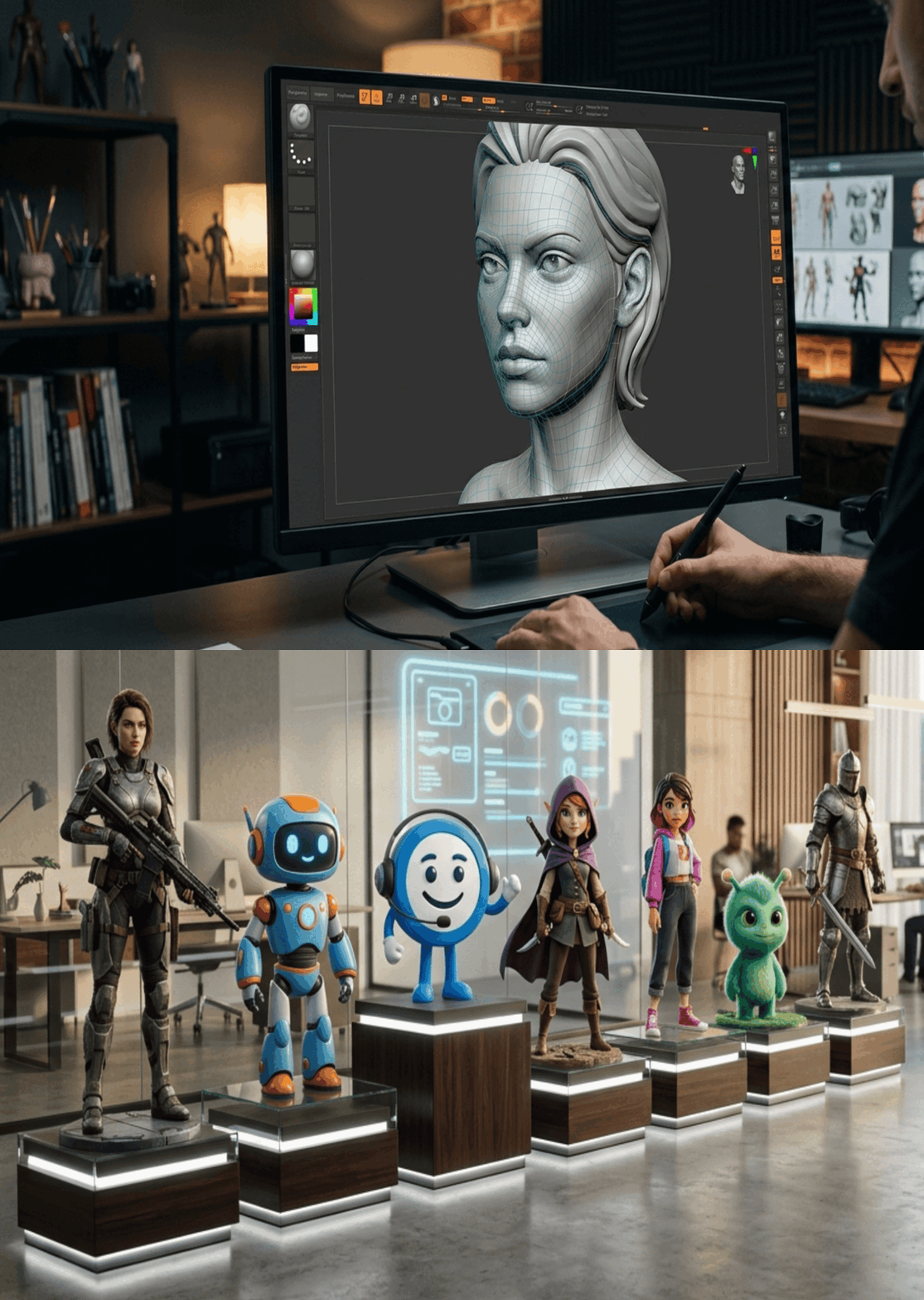
Deep inside today’s digital craft sits 3D Character Modeling – driving movies, gaming worlds, synthetic celebrities, intelligent avatars, interactive scenarios, and lifelike practice setups. When stepping into visual design or development flows, new creators find that grasping core techniques of shaping three-dimensional figures opens the door to realistic digital beings. Starting here matters more than most expect.
Picture more people wanting sharp digital visuals – suddenly, artists who get anatomy, art, and software inside out become key players. Dive into this look at 3D Character Models: what it means, how it clicks together, where it shows up – then walk away knowing just enough to step into the craft yourself.
Table of Contents:
- Three Dimensional Character Modeling Explained
- Why 3D Character Modeling Matters?
- The Modeling Journey From Idea To Finished Form
- Tools And Software Beginners Need
- Applications Across Industries
- Polygon Modeling Compared With Sculpting
- 3D Character Modeling Compared With Character Rigging
- Mimic Productions Creates Realistic 3D People
- Beginner Tips Start Here
- How 3D Characters Might Change Over Time?
- Frequently Asked Questions About 3D Character Modeling
- Conclusion
Three Dimensional Character Modeling Explained
A shape built in three dimensions gives life to a Character 3D on screen – realistic or imagined, flesh or machine. While software shapes its form, imagination sets its soul into motion across film, games, synthetic media. From silent storyboards it moves forward – not drawn, but sculpted in digital space. Its purpose takes place where movement begins: unseen grids breathe posture, gesture, presence. Each curve responds when animated by code, captured performance, even artificial minds at play.
Most Character 3D Model start with points connected by lines, forming shapes. Sometimes artists shape them like real clay, only digital. The way they build depends on the approach used that day.
Key aspects include:
-
- Body shape shows how bones connect. Muscle layout follows bone position closely. Limb lengths match overall frame size. Bone shapes guide muscle attachment points. Frame design influences movement range
- When things move in animation, how edges connect matters. Lines shift shape based on their layout. The way they link up changes how bending looks. Structure guides motion smoothly. Flow follows connections frame by frame
- Silhouette clarity (shape readability from a distance)
- Detailing (skin folds, pores, clothing, props, hair)
For a deeper dive into how realism is achieved – especially for AI avatars – see Mimic’s article on how 3D character modeling enhances realism in AI avatars.
Why 3D Character Modeling Matters?
What makes a 3D Character Model feel real often comes down to how carefully it’s built. A well-crafted 3D Model pulls viewers in, not by shouting but by simply being present. Instead of just looking good, it acts like someone you might know. Through subtle details, emotion finds its way into the scene. This kind of presence turns flat moments into something that sticks. Even silence can speak when the face shows thought behind the eyes. Digital beings start feeling less like code and more like company. When done right, they carry stories without needing words.
Why It’s Essential:
-
- Foundation for animation and rigging
- Influences performance capture quality
- Defines a character’s personality and appeal
- Drives realism in virtual humans and AI avatars
- Essential for immersive real-time rendering environments (See: real-time rendering vs pre-rendered pipelines)
From solo artists to big game teams, crafting 3D characters matters just as much. Though tools differ, the core stays vital across projects large and small.
The Modeling Journey From Idea To Finished Form
The journey of creating a photorealistic 3D character encompasses several key stages:
1. Conceptualization
A thought comes first, before any figure takes shape. From that spark, drawings emerge – rough at first, then clearer – as creators give form to how someone looks, acts, feels, fits into a tale. These images become the base, the starting point, guiding what follows in building the model.
2. Sculpting the Base Mesh
Out of tools such as ZBrush or Blender comes a rough 3D shape, built by hand like a digital sketch. With it, the artist forms the body’s frame – its height, limbs, stance – not unlike shaping wet clay on a screen. Details grow slowly once the core structure holds its pose. Form defines function here; balance matters more than flair. Each curve answers a need: how the figure moves, stands, bends. The base model breathes only when proportion feels true.
3. Refinement and Detailing
Starting with a basic shape, artists add fine touches like wrinkles around the eyes or tension in the shoulders. Through careful adjustments, lifelike qualities begin to emerge across the figure.
4. Texturing and Shading
From roughness to sheen, tiny surface marks give life – painting the look of leather, steel, or cloth across geometry. Light dances differently depending on those finishes, shaping depth through brightness and shadow.
5. Rigging and Skinning
Movement begins when a hidden frame is built inside the character. This structure connects to the outer shape, so motion feels smooth instead of stiff.
6. Animation and Integration
After rigging, movement brings the figure to life through gestures or feelings. Into whatever world it belongs – game, movie, or digital space – the finished version finds its place.
Tools And Software Beginners Need
Starting out today means tools once locked behind paywalls now sit within reach. Free software pops up alongside high-end options, equally available. A newcomer finds pro-level apps just a download away. Suddenly, expensive gear isn’t the gatekeeper it used to be.
Popular Modeling Tools:
-
- Blender – Free, ideal for beginners
- ZBrush – Industry standard for sculpting
- Among tools for movie making, Maya stands out. Film creators often pick it. Animation work flows smoothly with this software. Its reach extends across studios worldwide. Artists rely on its features daily
- 3Ds Max – Great for game development
- Cinema4D – Popular among motion designers
Supporting Tools:
-
- Substance Painter Texturing and Material Creation
- Marvelous Designer – Cloth creation and simulation
- Photoshop – Texture enhancements
Starting out? Blender works well before moving into more advanced software setups.
Applications Across Industries
The versatility of digital human modeling extends to various sectors:
-
- Characters come alive on screen through imagination shaped by writers. Story worlds grow when unique faces appear in film scenes. Television series gain depth with personalities that stick around. Animated tales thrive thanks to drawn figures who act and speak.
- Gaming: Developing interactive avatars and NPCs.
- Virtual Reality: Enhancing immersive experiences with realistic characters.
- Marketing: Utilizing digital influencers for brand promotion.
- Practice through real-life situations helps people learn. Scenarios built for training let skills grow step by step. Learning happens faster when experience feels alive. Role-based tasks guide understanding without pressure.
Polygon Modeling Compared With Sculpting
| Feature / Workflow | Polygon Modeling | Digital Sculpting |
| Purpose | A rough shape begins here – simple forms set the stage. Lines flow where needed most, guiding how it bends. Structure stays clean through careful placement of edges | High-detail forms, artistic shaping |
| Tools | Maya, Blender | ZBrush, Blender Sculpt |
| Best For | Animation-ready models, game assets | Realistic detail, creatures, wrinkles |
| Speed | Slower for details | Speedy when handling natural elements. Quick with earthy features. Moves rapidly through raw textures. Flies across untreated surfaces. Blazing past unrefined parts |
| Output | Clean topology | Needs retopology afterward |
3D Character Modeling Compared With Character Rigging
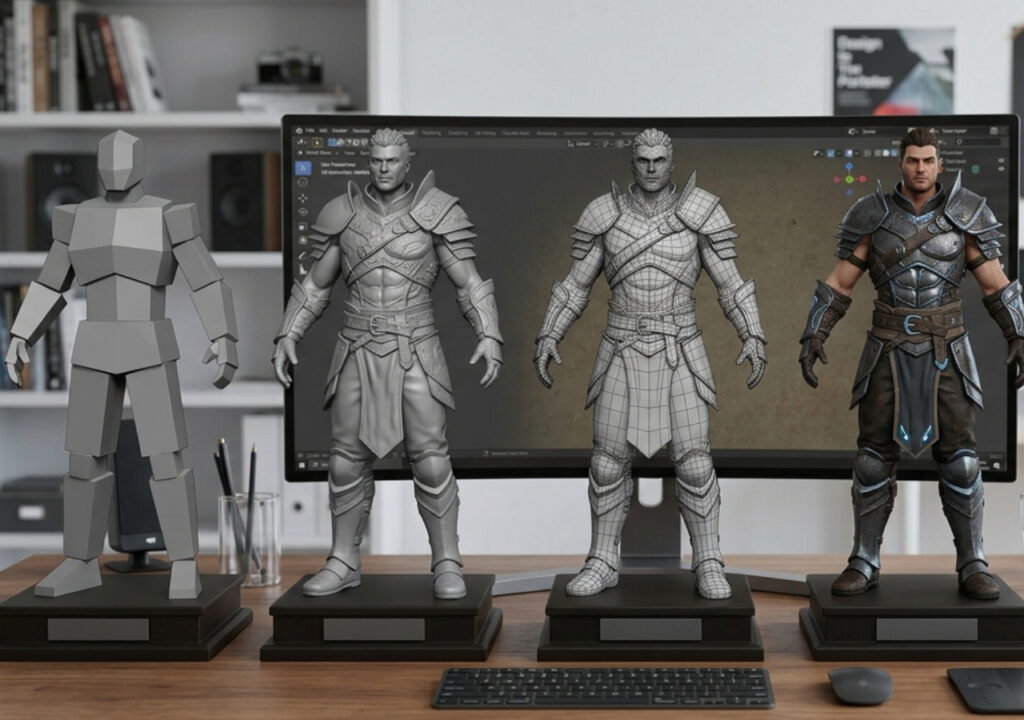
After shaping a figure, movement comes next through rigging. Shape matters first when building; after that, how it moves takes over. Movement hinges on structure added later, while form stands alone at the start.
Key Differences:
-
- 3D Character Modeling
-
- Builds the geometry
-
- Defines anatomy and silhouette
-
- Operates in static, sculpted poses
-
- 3D Character Modeling
-
- Character Rigging
-
- Adds bones and controls
-
- Prepares the model for animation
-
- Enables expressions, movement, performance capture
-
- Character Rigging
Mimic Productions Creates Realistic 3D People
What if your avatar looked truly alive? That is what drives Mimic Productions. Not just movement – but presence – shapes their work. Scanning begins the journey, then comes detailed modeling. Structure follows, built through precise rigging. Animation breathes life into each figure. Technology isn’t flashy here – it simply serves realism. Every character feels grounded, never artificial. Depth emerges naturally, not forced. The result stands quiet but undeniable: a human likeness that holds stillness well.
Beginner Tips Start Here
Starting out with 3D modeling for the first time? Try these ideas instead:
-
- Begin at the root – grasp core ideas such as how shapes connect and what structures make up a system.
- Every now then, working on it keeps abilities sharp while trust grows slowly. Skill comes back each time effort shows up without fanfare.
- Start by getting comfortable with tools used widely across the field. One step is exploring programs that professionals rely on every day.
- Start by reaching out to groups who might respond honestly. Listen closely when they share thoughts about your work. A different view can appear through real talk with others nearby.
- Study Real Life: Observe real-world references to enhance realism in your models.
How 3D Characters Might Change Over Time?
Out of nowhere, tools for building digital people might shift entirely by ten years from now. A different rhythm could take over animation workflows soon after. Behind the scenes, deployment methods may evolve without warning.
Major Shifts To Expect:
-
- AI-assisted modeling tools accelerating workflows
- Photorealistic digital humans becoming standard
- Real-time engines like Unreal redefining production
- Advanced 3D body scanning enabling instant digital doubles
- Procedural generation of crowds and variations
- Neural rendering enhancing speed and realism
When new tools move fast, solid 3D character work still holds everything together. Though tech changes, realistic models stay central to how we see virtual worlds. Because details matter, crafting lifelike figures keeps stories alive on screen.
Frequently Asked Questions About 3D Character Modeling
1. What Is 3D Character Modeling Used For?
Used across movies, then also found in video games, alongside virtual filmmaking setups. Shows up in training sims, powers digital people through artificial minds, lives inside gear that pulls you into another world.
2. How Long Does It Take to Model a 3D Character?
A handful of days might pass before basic figures appear. When it comes to lifelike human forms, though – those can stretch into weeks.
3. Do I Need to Know How to Draw to Model Characters?
Pencil on paper builds a feel for bones and shapes, yet skipping it works fine when screens offer 3D models to study instead.
4. What Program Works Well for People New to Making 3D Characters?
What makes Blender stand out? Zero cost opens doors. Strong tools shape models fast. Sculpting feels smooth, natural. Power meets simplicity there.
5. What Skills Do 3D Character Modelers Need?
Body structure awareness shapes how forms come together. Yet muscle flow guides surface movement across shapes. Instead of flat surfaces, volume defines natural contours. Because edge loops follow motion paths, deformation stays clean during animation. While balance pleases the eye, proportion keeps realism intact. Then efficient methods keep modeling predictable and smooth.
6. What Is Topology in 3D Modeling?
How things connect shows in the way points, lines, corners move – particularly near spots that bend when animated.
7. What Sets 3D Character Modeling Apart from Rigging or Animation?
While modeling builds the shape, rigging adds bones – structure follows form. Animation brings movement once both exist. Each step depends on the last, yet each stands alone. One makes a face, another lets it turn, the third gives it life.
What you build defines how it acts. Movement comes alive through hidden controls inside. Performance begins when motion feels real.
8. Is It Possible for Artificial Intelligence to Handle Creating 3D Characters Automatically?
Though machines help, crafting top tier characters demands skill that only humans bring. A computer might speed things up, yet finesse comes from experience. Tools exist, still mastery lies in the craftsperson’s hands. Even with smart software, nuance escapes code. Expertise shapes what algorithms cannot.
Conclusion
Starting with shapes on a screen brings imaginary beings to life through careful design work that balances looks and function. When artists shape cartoon figures or near-real people, skill in crafting these forms leads to jobs across entertainment fields where visuals matter most.
Deep inside our top-tier digital human system sits 3D character modeling. Starting with high-end scans, moving into detailed shaping – then structure setup, movement tracking – we support studios, labels, makers. Life-like presence, real feeling emerges through each step. Realism grows not just from tech, but touch.
Starting out in 3D character work? Or maybe aiming for studio-level results? Mimic Productions fits right in. Each step of the way, they match what you need. Quality stays high, whether it’s first attempts or finished pieces.
Get in touch if you need more details or have questions. We’re here when you want to talk.